Tag Archives: VPN

The Best Social Media Apps for Privacy

In an age where nearly every click, like, and message is tracked, the call for private and secure social media platforms is louder than ever. With major platforms frequently making headlines for data breaches, invasive ad tracking, or mishandled user data, more users are seeking alternatives that prioritize privacy.

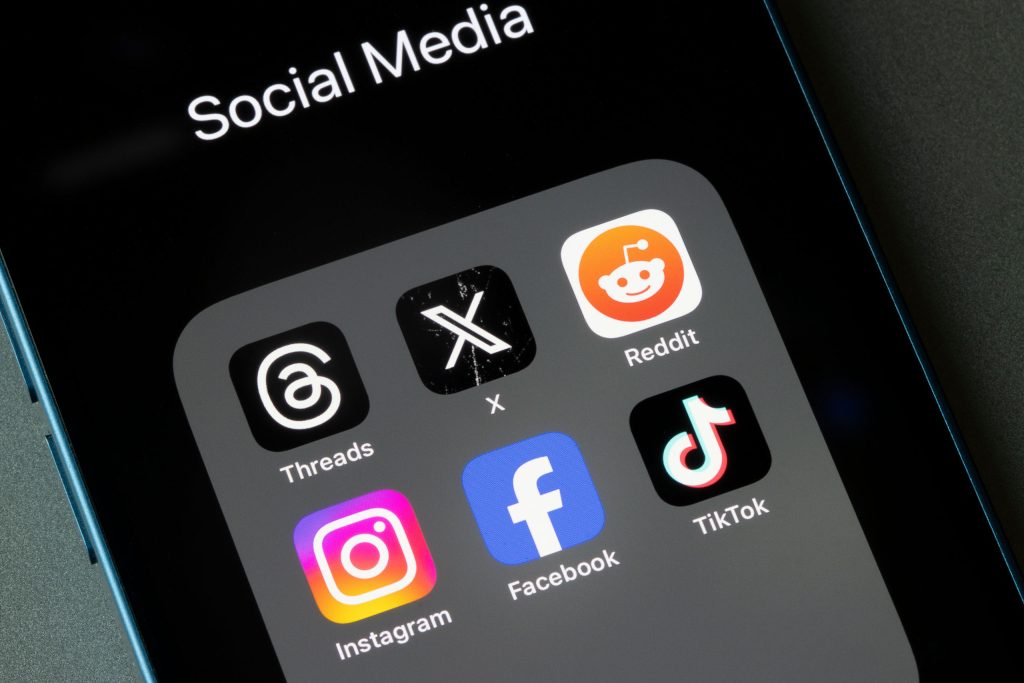
You probably don’t want to give up your Instagram, TikTok, or X (formerly Twitter) accounts because other apps have better approaches to privacy. However, you may want to branch out and put more time into platforms that aren’t primarily in the business of collecting data and using it to entice people to buy stuff.

This article explores the best social media apps that offer strong privacy features and the pros and cons of using them. Plus, you’ll learn how you can take control of your data online.

The Rise of Privacy-Focused Platforms

Privacy-first social media platforms have emerged in response to growing concerns about surveillance capitalism and the commodification of personal information. These apps typically avoid collecting user data, offer end-to-end encryption, and avoid algorithm-driven engagement models.

Advantages:

  • Minimal Data Collection: Many of these apps collect little to no personal information.
  • End-to-End Encryption: Ensures that only the intended recipients can view messages or posts.
  • No Ads or Tracking: Users aren’t tracked for advertising purposes.
  • Open-Source Codebases: Some platforms allow public auditing for transparency.

Disadvantages:

  • Smaller User Base: Fewer people use these platforms, limiting how many people you can connect with and reach.
  • Limited Features: They may lack advanced functionality common on major networks.
  • Monetization Challenges: Without ad revenue, some platforms rely on donations or subscriptions. Creators looking for apps with revenue sharing will need to stick with the biggest players, such as YouTube and Instagram.

The Best Apps for Online Privacy

1. Reddit

Why it’s a top choice: Reddit is a well-established and trusted haven for people interested in sharing their unfiltered opinions. It’s geared towards anonymous discussions, as users only have a username associated with their account and no profile picture.

Privacy features: Browse anonymously, control location customization, manage email preferences, and filter content based on age or content type.

Best for: Discussions about special interests and niche interests (such as specific video games) with people with a wide breadth of knowledge and experience.

2. Snapchat

Why it’s a top choice: The entire concept of Snapchat is based around privacy: content that’s viewable for 24 hours. The app’s disappearing messages and screenshot notifications make it less likely that data is collected or misused by others.

Privacy features: Control who can contact you, view your story, see your location, and use your Cameos selfie. Use “Ghost Mode” to hide your location on the Snap Map.

Best for: People who have posted stories and multimedia content on Instagram and are seeking an alternative that has a healthy user base.

3. Signal

Why it’s a top choice: Originally known for secure messaging, Signal has expanded into sharing media and group communication. It’s all protected with end-to-end encryption.

Privacy features: No metadata collection, disappearing messages, open-source protocol.

Best for: Secure communication, activism, and private group chats.

4. Mastodon

Why it’s a top choice: A decentralized social network where users join independently run servers.

Privacy features: No central authority, customizable privacy settings, moderation at the community level.

Best for: Users who want a Twitter-like experience without centralized tracking.

5. MeWe

Why it’s a top choice: Marketed as the “anti-Facebook,” MeWe doesn’t track users or serve ads.

Privacy features: No data mining, end-to-end encrypted chats, no algorithmic feeds.

Best for: Facebook-style networking without the privacy concerns.

6. Minds

Why it’s a top choice: An open-source platform offering blockchain-based incentives and user control.

Privacy features: Encrypted messaging, content monetization without surveillance, transparency.

Best for: Creators, thinkers, and privacy-conscious users who want to earn rewards.

7. Element (Matrix)

Why it’s a top choice: A secure collaboration app built on the Matrix protocol. It gives users maximum ownership and control as it can be self-hosted.

Privacy features: End-to-end encrypted messaging and video, open-source, decentralized hosting.

Best for: Teams or individuals who want a Slack-like experience with more emphasis on security.

Why Online Privacy Matters on Social Media

Social media platforms gather vast amounts of personal data.

Everything from your location, behavior, and relationships is stored. Typically, the data is used for targeted advertising or shared with third parties. This comes at the cost of user autonomy and can have serious implications in terms of surveillance, identity theft, or manipulation.

Key reasons privacy matters:

  • Protecting personal identity and information
  • Preventing data misuse or breaches
  • Maintaining freedom of expression
  • Avoiding manipulation via targeted content

How to Improve Your Online Privacy

Many people use social media to reach as wide an audience as possible. And at the end of the day, it’s about staying connected with friends, family, and coworkers.

Thus, it’s understandable that many people want to stick with the apps with the most users and are considering widening their horizons with privacy-focused platforms.

If you continue using mainstream platforms, here are steps to safeguard your privacy:

  • Review privacy settings: Customize who can see your posts and profile information.
  • Limit third-party app access: Disconnect unused apps linked to your social accounts.
  • Use strong, unique passwords: Be sure to enable two-factor authentication as well.
  • Be mindful of what you share: Especially personal identifiers like location or workplace.
  • Use a VPN: To mask your IP and browsing activity from trackers. View the top VPNs recommended by LetMeBy here.

Choosing a New Social Media App

It’s easy to get caught up in the details when considering which privacy-focused social media platform is best tailored to your purposes.

Start by comparing the fundamentals of online privacy, which apply to all apps.

When exploring alternatives, ask yourself:

  • Does the app collect or sell user data?
  • Is encryption used, and if so, is it end-to-end?
  • Is the app open source or independently audited?
  • Who owns and operates the platform?

When to Consider Switching Apps

Many grew up with apps such as Facebook, but sometimes you need to get rid of the old to make room for the new. Switching apps rather than simply adding newer apps grants you the next level of focus and efficiency.

Privacy is just a part of what makes a social media app better than the rest. That being said, you might consider switching when:

  • A current platform experiences a major data breach.
  • You notice increased tracking or unwanted targeted ads.
  • You want more control over your content and interactions.
  • You’re uncomfortable with how your data is being used or shared.

Conclusion

The mainstream apps many of us use every day have many strengths, but giving you the ability to maintain strong online privacy isn’t one of them.

The good news is that the amount of choice out there in terms of privacy-focused platforms is nothing short of incredible. The bad news is that any social media app is only as good as its user base, and the apps with the best privacy are growing but still far behind behemoths like Facebook, Instagram, and YouTube.

How to Unblock U.S. Only Videos (YouTube, Hulu, Max, etc.)

Being denied access to a video due to living outside the U.S. may be one the most annoying problems to plague the web.

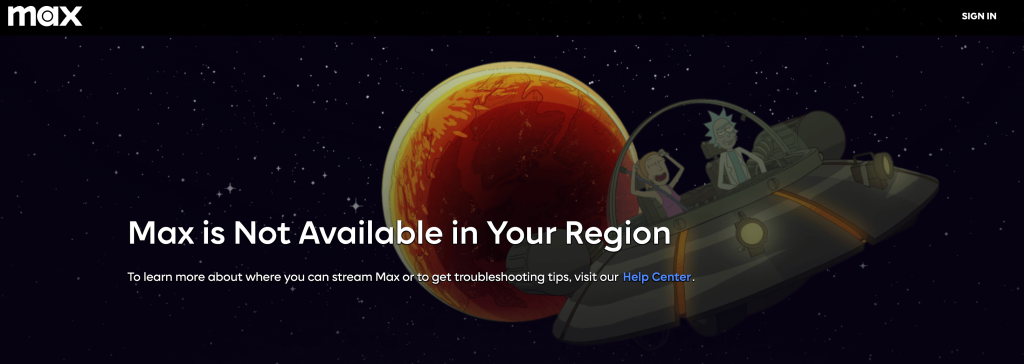
Popular streaming apps like Hulu, Max, Netflix, and ESPN Sports all offer brilliant content that’s only available to Americans due to distribution rights and copyright restrictions.

Luckily, there are a variety of browser plugins, software, and services you can use to overcome this barrier.

These days, virtual private networks (VPNs) are the standard when it comes to removing geo-restrictions placed on video content. Proxies and plugins that unblock content on YouTube are free alternatives. However, they aren’t always quick enough to stream high-quality video without hiccups.

VPNs ensure flawless video playback and are affordable though. A VPN service may be worth it if you crave plenty of U.S.-only content.

Why are Some Shows Only Available in the US?

To many fans of high-quality TV shows it’s puzzling why some of the best shows can only be enjoyed in the US. For example, Netflix subscribers in Canada looking to revisit their favorites may be surprised to learn ‘Friends,’ ‘The Office US,’ and ‘It’s Always Sunny in Philadelphia’ aren’t in their library.

Streaming services display content according to your location. The country that your IP address is associated with determines which content is shown and which content is excluded. Thus, Netflix US and Netflix Canada have different libraries with plenty of overlap but also in-demand exclusives.

Some TV executives make strict licensing agreements with streaming platforms so they can control where a given TV show can be screened. Apps also have exclusives that are intended to gain subscribers by offering content that isn’t available anywhere else. In other cases, shows aren’t available simply because no company is selling the show in that region.

Plugins

If you plan to watch the occasional U.S.-only video on YouTube and aren’t picky about performance, start with a browser plugin. This will allow you to watch YouTube videos that are normally restricted in your country

There are two popular Chrome plugins to consider: Youtube Unblocked and Unblocker for YouTube. These plugins work by hiding your true IP and replacing it with an IP associated with the country the video is allowed in.

This approach is hit or miss since the developers of the plugin need to keep it up to date for it to continue working. Additionally, you could be required to enter captcha codes on YouTube to prove you’re human, which gets tiresome. This happens because the proxy server IPs tend to be overused.

VPNs

If you’re planning on watching a fair bit of video on YouTube or Hulu and want the best user experience, free of technical hiccups and slow download speeds, VPNs are the way to go.

VPNs add a secure layer between your device and the internet so you have enhanced online privacy. Your real IP address is replaced with an IP associated with any country of your choosing.

With a VPN you download desktop software or an app, which manages connecting to available servers. It allows you to select a country that has access to the videos you want to watch. Thus, restrictions are removed.

I recommend these VPN services for unrestricted video streaming:

High download speeds are necessary for HD video streaming so it’s vital to choose a VPN that doesn’t hinder performance when it’s enabled.

Closing Remarks

Hopefully, content providers will get laxer about restricting videos from being viewed outside the U.S. as time moves ahead. Some of these copyright laws strike many as antiquated and arbitrary.

Until then, enjoy all the videos you can handle with a handy plugin for YouTube or a VPN.

Tor, VPN or Proxy – Which is Right for You?

Records of an average person’s browsing history may not be worth much, but when you add every citizen of the U.S. to the equation, the value becomes millions of dollars.

ISPs want your personal data so they can sell it to the highest bidder or find ways to upsell you. Advertisers and titans of Web search want to track your online activity so they can display products you’re most likely to be interested in. Finally, governments want access to your online activities, in case they find a reason to monitor them.

These players are becoming a bigger threat to your online privacy by the day, and it’s about time you stood up to this menace. It starts by protecting yourself, namely with Tor, a VPN, or a proxy.

There’s no perfect solution, however, it should be said they’re not all in the same league either. So, let’s look at the pros and cons of each of these technologies.

Tor

What is it?

Known as “the onion router,” Tor is free software that allows you to join their anonymity service. Tor directs traffic through a network of thousands of relays run by volunteers around the world. It makes it very difficult if not impossible for someone to monitor your online activity, and also prevents site owners from seeing your true location.

Over the years, Tor Browser has become the main focus of the Tor Project. It integrates Tor’s technology with a Web browser, making it straightforward to use. Tor Browser requires no setup. However, it won’t hide your activities in other apps such as email, FTP, torrent client, etc.

Only accomplished tech aficionados should tackle their Expert Bundle which is the standalone flavor of Tor. It allows you to manually configure programs to work with it.

Pros

  • Not only is Tor free software, but it’s also a free service which is amazing.
  • Tor Browser is easy to use.
  • Tor Expert bundle allows you to hide your IP address on apps beyond your web browser.

Cons

  • In terms of speed, expect varying degrees of slow. Considering all your browsing data is bouncing around various relays worldwide, it’s understandable why. The other reason is advancements in the network and software are dependent on altruistic contributions, which are short in supply.
  • Since launching in 2002 it has created a reputation for being a favored tool of cyber criminals, spammers, and dissidents. Attempts to hide yourself with it can backfire as Tor users are viewed with suspicion. It can be a red flag for services, businesses, or organizations that can detect its use.

Visit the Tor Project site.

VPN

What is it?

A VPN extends a private network across a public network. It acts as a fast, secure bridge between your computer and the internet, encrypting your data as you browse the web.

With a VPN enabled, websites you visit and prying eyes online can’t see your real IP address. Instead, they’ll see the IP associated with the VPN service. VPNs also allow you to bypass geographic restrictions by allowing you to assume an IP associated with a different country.

VPN access is a service, and just like internet access, you’ll be billed monthly to use it.

Pros

  • Paid service so servers are robust, reliable, and fast.
  • Quality VPN services have huge networks of servers located around the world.
  • Used for professional applications by IT professionals. VPN users are generally granted more trust than Tor or proxy users.
  • Services offer extensive software for use with any OS (desktop or mobile) and with any application.

Cons

  • You need to subscribe to a service with an associated monthly fee.
  • Some companies block their users from accessing services with a VPN.
  • Premium VPNs are generally fast, but using a VPN might cause weaker performance in highly demanding applications such as online gaming.

View a comparison of top VPNs.

Proxy

What is it?

Before VPNs exploded in popularity, proxy servers, and web proxies were the go-to method for hiding your identity. Similar to a VPN a proxy is a gateway between your home network and a public network such as the Internet.

When viewing lists of proxy servers published online, you’ll come across three types: anonymous, elite, and transparent. Basically, the slower the proxy type, the more secure the connection. So transparent is the fastest, and the least secure. Anonymous is in the middle, and elite is the most secure. An elite proxy even tries to hide the fact you’re using a proxy, but it’s the slowest type.

Unlike VPNs which allow you to set up one centralized app that will anonymize all your activity no matter which application you’re using; proxies require extensive configuration. You’ll need to learn the the proxy options well in each app as you’ll likely need to change servers often in search of a solution with decent speeds.

Many companies see proxies as legacy technology and have removed its support from their software to focus on VPN features.

Pros

  • Both free and paid proxies are available although most will want a VPN if they choose to pay.
  • Free proxy lists are plentiful, many of which are checked continuously to ensure the list is fresh and that the proxies are indeed online.

Cons

  • Free proxy servers are run by individuals, not companies that operate with at least some ethical standards.
  • Free proxies are used and abused by spammers and malicious users so you may find the proxy server IP is banned by the site you wish to use.
  • Each app is configured separately with proxies. This can be time-consuming and frustrating due to the likely need to change your proxy server often.

View a free proxy list.

The Final Verdict

Free proxies and Tor are fine for dabblers. However, if you wish to hide your identity on an ongoing basis, you’ll probably lose patience with the unreliability, slow speeds, or hoop-jumping (in the case of proxies) associated with these methods.

The top VPN services recommended here on LetMeBy are fast, trustworthy, and generally the best option for nearly everyone. The only downside is you’ll need to pay for it, but since most VPNs are so fairly priced, this isn’t much of a drawback.

Photo: Ed Ivanushkin

VPNs Protect You but Aren’t a Substitute for Antivirus

VPNs get a lot of praise for their ability to boost one’s privacy online. Many wrongfully assume that because VPNs hide their IP address and offer a high level of encryption, they’re protected without antivirus software.

In actuality, VPNs and antivirus software serve completely different purposes.

Although using a VPN makes it nearly impossible to determine your identity through certain means, it won’t stop other methods to get hold of your private data such as phishing.

It’s estimated that one-fourth of PCs have no virus protection. That’s a camp you don’t want to be in. Unprotected machines are 5.5 times as likely to get infected.

Cybercriminals have gotten craftier and bolder than ever. On top of that, bad actors are taking more action than ever. Cyberattacks increased 125% in 2021 compared to the previous year. And there are no signs of it slowing down.

The bad guys have adapted and so will internet users. Those who use both antivirus and VPN are being proactive and are best prepared for threats now and in the future.

How Antivirus Software Protects You Online

One of the key components of antivirus software is its database. Online threats are always evolving so antivirus software downloads the latest threat database automatically before scanning your computer.

Security software either detects threats in real-time as soon as they appear or during a scheduled or manual scan of your hard drive. If malicious code is detected it’s either quarantined or deleted.

Malware is a generic term that includes many types of harmful software such as viruses, trojans, worms, and spyware. The next category everyone needs to be aware of is phishing. This is when bad actors pretend to be legitimate companies and services to extract personal data such as login details and credit card numbers.

Security software such as Norton 360 and Kaspersky Internet Security have a comprehensive approach so you’re defended from information security threats, network attacks, phishing attacks, and spam.

How VPNs Protect You Online

Data is incredibly valuable to businesses and institutions. There’s a whole industry dedicated to it, often referred to as big data. In 2022, the big data analytics market size was estimated to be worth USD 272 billion.

Private data is also valuable to shady third parties and cybercriminals which is the most immediate threat to the average internet user.

Thus, with each passing year, it’s more and more important to be mindful of how you protect your privacy online. There are plenty of improvements you can make by drilling down into the privacy settings of the online services you use. However, companies will never give you full control of your privacy. By using a VPN, you easily and effectively level up your privacy across all the apps and platforms of your choice.

VPN is short for Virtual Private Network. Essentially, you can think of a VPN as a tunnel that encrypts all data that moves between your internet connection and your device.

It replaces your true IP address with an IP associated with the location you select. This makes it nearly impossible for people and organizations to determine who you are and where you’re located by viewing your IP address.

To learn about the top 3 VPN services recommended on LetMeBy, visit this page.

Using Both Antivirus Software and a VPN is the Best Defence

Antivirus software and VPN apps complement each other perfectly. One if your best defense against malware and the other is your best defense against companies, third parties, and organizations compiling data about you based on your actions online.

VPNs have security benefits as well as it encrypts data during transit. This protects you from attackers that aim to intercept data going to your device or network. Once the data has reached your device, it’s up to antivirus software to deal with threats.

Antivirus software is essential. This is why Windows Defender is pre-installed on any current Windows machine. VPNs have seen an incredible boost in adoption in the past several years, but not every internet user needs a VPN. Everyone can benefit from using a VPN, but you need to value your online privacy to want it.

Wide-ranging security software is becoming more common. These solutions include both antivirus and VPN software.

Is Windows Defender Enough?

You might be old, but are you old enough to remember downloading McAfee on your new PC after installing Windows XP?

Windows has come a long way since then in terms of security features. Before the release of Vista, Windows users had to get third-party antivirus to protect their computers. Today, Windows Defender is preinstalled and Windows automatically downloads and applies the latest security updates.

Windows machines don’t really need third-party antivirus software since Windows Defender is perfectly capable.

The main reason to get third-party antivirus software is you find its features compelling. For example, gamers appreciate “gaming mode” which is found in software such as Kaspersky Internet Security. By enabling it, functions such as system scans and notifications won’t interrupt your gaming experience while the antivirus works in the background.

Full security suites provide the most added value. These software packages protect you from spam, unsafe websites, shady applications, webcam breaches, and more.

Conclusion

It’s easy for Windows users. Simply add a VPN to complement the antivirus software already preinstalled: Windows Defender. This gives you protection where it matters most. Still, when something is easy, we sometimes lose sight of what’s working for us in the background. Antivirus software is essential and VPNs are in no way a replacement for it.

Online privacy and protecting yourself from malware are related and more than ever there’s overlap between the two. However, for the best solution is to use both a VPN and antivirus.

How to Protect Your Privacy When Playing Online Games

From MMORPGs to battle royale shooters, it’s fun and thrilling for gamers to immerse themselves in a digital world filled with millions of other players.

Once an online game reaches the highest level of popularity it becomes like a world of its own—with its economy, massive variety of items, and culture. And while most of the dangers and challenges are merely a part of the game, there are also real threats gamers need to protect themselves from.

Online privacy is a hot topic these days. When digital experiences provided by social media, games, and apps exploded in popularity your average person wasn’t ready for the privacy ramifications of it all.

Like most tech companies, gaming companies want to collect data about their customers to improve their games, to better understand what gamers want, and of course to increase profits by selling the data or using the data themselves.

Savvy gamers are now deciding for themselves how much data collection is too much. More than ever, gaming platforms like Steam, PSN, and Xbox Live are giving people the tools to protect their privacy and specify which data they’re comfortable sharing and which data they aren’t.

So, let’s dive in. Here are the things you can do to improve your privacy in online video games.

Tweak Your Privacy Settings

When it comes to privacy settings, there’s almost always room for improvement from the default settings.

You need to drill down into menus and sometimes make decisions that prioritize either privacy or features and convenience.

Thankfully, once you tackle it, you’re in good shape for years to come until the gaming platform you use overhauls its approach to managing privacy.

To learn how to tweak your game console settings, see LetMeBy’s guide to protecting your privacy on PS5 and protecting your privacy on Xbox Series X/S.

Unlink Your Social Media

Many big game companies such as Blizzard Entertainment and Bethesda Softworks allow their users to connect their social media accounts to their gaming accounts.

It might seem like an interesting feature to explore if you post content about gaming, but linking to social media may grant the game company access to parts of your personal data such as your name, profile photo, or even what you post and in-game conversations.

It’s almost always preferable to log in with a password specific to that gaming account rather than something like Facebook as there is typically a privacy cost.

Keep Your Antivirus Active and Up-to-Date

Good virus protection is always a must on Windows, but for avid online gamers, it’s even more essential.

Some gamers disable their antivirus software to play online or don’t protect their PC at all because they believe it affects performance. Studies have found that in four out of five cases there’s no reduction in frames-per-second (FPS) when playing games with security software running. And in the rare case it has an effect, it’s not a noticeable one.

The hurdle is antivirus software can sometimes launch automated actions that interfere with your gaming experience. Some examples of this are antivirus database updates, notifications of stopped threats, or scheduled hard drive scans.

Choose antivirus solutions that allow you to delay updates and scans while you play games. Some security software such as Kaspersky [Amazon] have a game mode to ensure it doesn’t start using system resources during an intense boss fight.

Manually Block Data Collection

The services that collect data about you during a gaming session are stealthy indeed. These processes take place in the background so you don’t ever notice them.

Windows users have the power to block servers from collecting data about them. Open up your hosts file and add the IP address and hostname associated with the service you want to block.

Managing these connections manually requires research and tech skills, but you can’t always achieve the desired effect from the game or platform privacy settings. At times it’s better to take matters into your own hands.

Don’t Save Your Credit Card Info

Gaming platforms and consoles make it easy for people to save their credit card info for future purchases. Simply put, it’s more likely you’ll make purchases if you can do it in a few clicks. And companies like getting those frictionless sales.

While it’s no doubt convenient to have your credit card on file, it has risks that come along with it. If somebody gains access to your account, they could manage to collect your credit card info or even make purchases.

More and more, credit card companies are requiring confirmation that changes to your card are genuine. However, it’s still best to play it safe and enter your card info each time you shop for new games.

Use a VPN

VPNs create a secure tunnel in which all data flows between your internet connection and your gaming device.

Your real IP address is hidden and replaced with the IP associated with the VPN service. This makes it either difficult or impossible for companies and malicious users to pinpoint your location or gather data about you.

If you’re looking for a VPN, see LetMeBy’s top 3 VPN picks here. Alternatively, if you’re low on time, here are the VPNs most commonly recommended to gamers on this blog:

Avoid Using Cheats

Offering players cheats has become a common tactic used to trick unsuspecting gamers.

Here’s how it’s done.

Players looking for cheats and hacks will Google terms that bring them to an untrustworthy website. The site could use aggressive and misleading tactics to get players to click ads, complete surveys, or download malicious files.

Additionally, the cheat tool itself could use covert methods such as malware to obtain private data or it could use phishing to gain access to the gamer’s account.

Never download cheats as it not only goes against the terms of service in online games, it also puts your private data at risk. If you choose to download mods, do so from legit apps such as Steam or Epic Games and never from third-party websites.

Conclusion

Online gaming opens up incredible possibilities for players to compete and collaborate with other gamers, explore breathtaking environments, and acquire items that give their character a distinctive appearance.

It’s important to keep in mind that online games have greater risks as well.

There’s always a population of players looking for new ways to cheat and break the rules for their own gain. Online gaming has become so widespread that players are attractive targets for cybercriminals. On top of everything, many big gaming companies have become prying eyes.

Better online privacy doesn’t happen on its own. It’s something gamers need to strive for. And if you do, there’s a good chance your future self will thank you.