Category Archives: Gaming

How the End of PlayStation Discs Affects Your Privacy

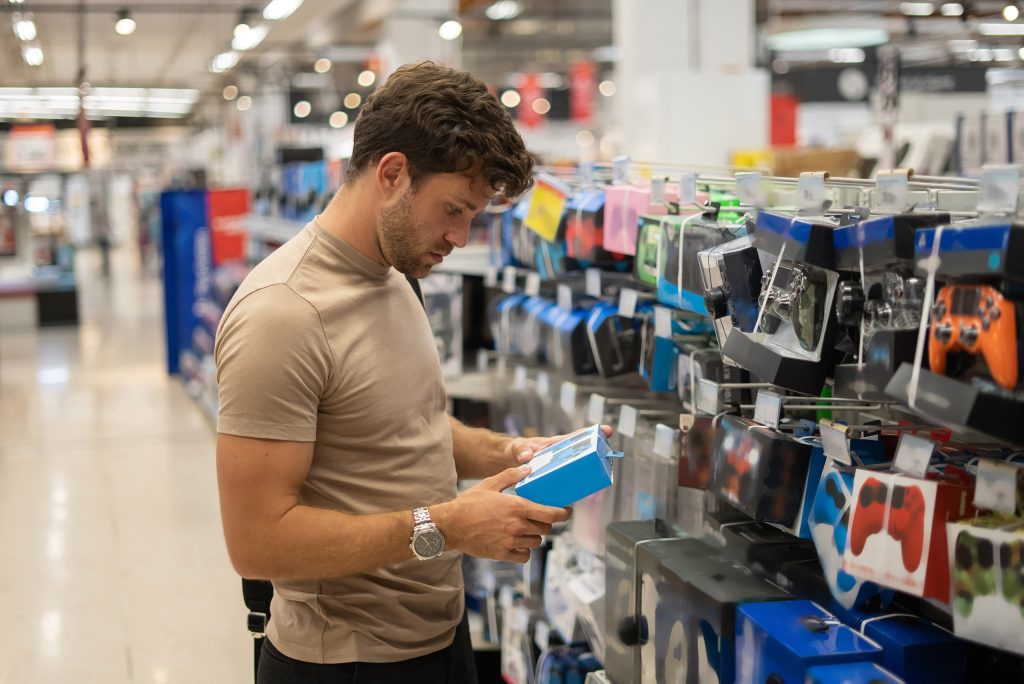
Who here remembers that game store experience?

For decades, buying a physical PlayStation game meant more than simply owning a disc, a case, and a manual. It meant you could walk into a store, pay with cash if you chose, take the game home, and play it without creating a detailed digital record of your purchase. It meant you could experience the best of the digital world through gaming while retaining the benefits of physical media.

That era of gaming is coming to an end.

Sony has announced that it will no longer produce physical first-party PlayStation games in the future, accelerating an industry-wide transition toward an all-digital ecosystem.

A post on Sony’s blog got right to the heart of the matter in the very first sentence:

As consumer preferences and the broader entertainment industry continue to shift away from physical discs to digital, physical game disc production for all new games releasing on PlayStation consoles will be discontinued starting January 2028.

While gamers know digital is dominant and collecting physical games has become a niche hobby, the announcement sparked strong reactions across Reddit, gaming forums, and social media. Players expressed concerns about ownership, game preservation, and the disappearance of consumer choice. While their physical collection isn’t going anywhere, many social media influencers mourned the loss of a future that gives gamers the option to continue adding new games to their shelf.

For privacy-conscious gamers, however, another issue deserves attention: the end of physical media also means the end of one of the few remaining ways to purchase and play modern games with minimal digital tracking.

Why Sony’s Decision Makes Business Sense

From Sony’s perspective, the move is good for business and reflects their ability to adapt as technology and consumer preferences shift.

Digital distribution eliminates the costs associated with manufacturing Blu-ray discs, printing packaging, shipping products around the world, and managing retail inventory. Every digital sale also allows Sony to avoid retailer commissions while keeping customers within the PlayStation Store ecosystem.

The added costs made sense when most people wanted physical discs, but in a world in which the majority want access to games instantly, it gets harder and harder to justify.

Technology has also evolved beyond what physical discs were originally designed to support.

Modern AAA games frequently exceed 100 GB, with some approaching or surpassing 200 GB once updates and downloadable content are included. Even when a game ships on disc, much of the experience often requires large downloads on launch day.

The reality is, the days of having a complete game on disc with no patches required to play hit the end of the road on PS2, GameCube, and the original Xbox.

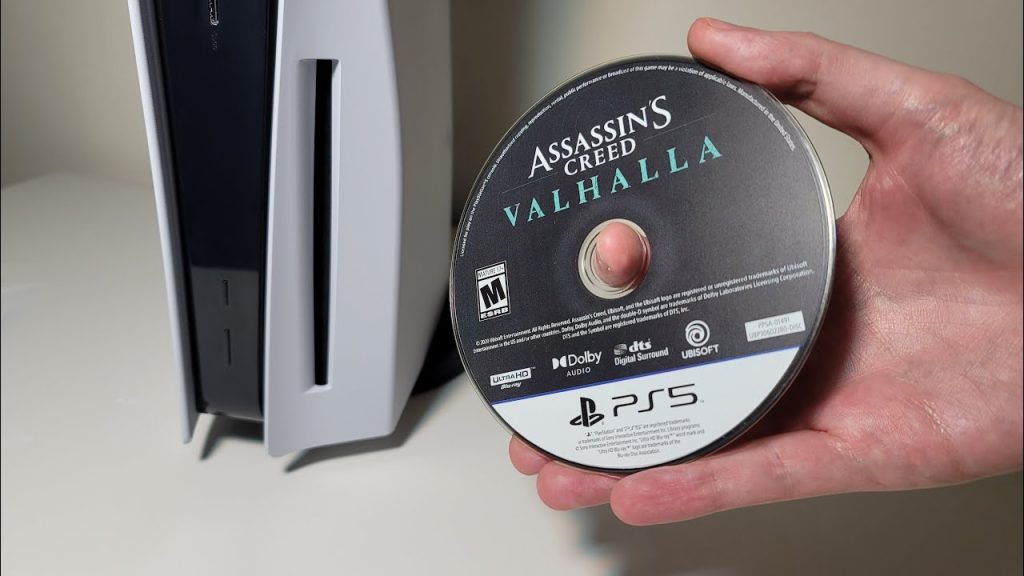
The PlayStation 5’s ultra-fast SSD further changes the equation. Today’s games are increasingly designed around rapid data streaming that physical optical media simply cannot support. In many cases, the disc has become little more than a license key that initiates installation onto internal storage.
The Optical Disc Has Reached Its Limits

Physical media also faces a technological ceiling. When you consider that it all started with the LaserDisc in 1978 and then the Compact Disc in 1982, it’s astounding we’ve got this far.

Ultra HD Blu-ray remains the highest-capacity consumer optical format available, offering up to 100 GB on triple-layer discs. While researchers have demonstrated experimental optical storage technologies with significantly higher capacities, none have become commercially viable for mass-market game consoles.

Developing a new physical format would require enormous investment from hardware manufacturers, game publishers, and production facilities at a time when consumer demand is shifting toward digital downloads.

In other words, no obvious successor is waiting in the wings.

Without a compelling next-generation optical format, digital distribution is the only clear path forward.

Do You Really Own Your Digital Games?

One of the biggest areas of controversy surrounding digital-only game libraries is ownership.

When you buy a physical game, you own the disc. You can lend it to a friend, sell it, donate it, or keep it on your shelf indefinitely. Over the years, its value can decline or it can appreciate when collectors want to repurchase the games from their childhood.

Digital purchases work differently as they simply grant you access.

In most cases, you’re purchasing a license to access software under terms established by the platform holder. If licensing agreements change, games are removed from storefronts, or online services eventually shut down, there’s nothing you can do about it as a consumer. The game’s developer holds all the power. While it’s uncommon for purchased games to disappear without warning, digital ownership ultimately depends on the continued operation of online services and account access.

For many consumers, this distinction has become one of the defining debates of the digital era.
The Privacy Cost of an All-Digital Future

When the focus is put on privacy, the disappearance of physical games represents a much larger shift than simply changing how games are delivered.

Buying a physical game allows you to separate your purchase from your online identity. You can browse a store anonymously, pay with cash, and leave with relatively little personal information being collected.

You can opt to save by getting used games and give your business to brick and mortar stores, online retailers, or private sellers.

Digital purchases eliminate those options.

These days, tracking is a given when you deal with big corporations like Sony. Every purchase is connected to your PlayStation account. Data points such as payment method, IP address, purchase history, device identifiers, and various forms of usage data are gathered and stored.

Even if Sony collects this information responsibly, it makes some uneasy knowing one company knows so much about them.

Records can reveal:

  • The genres you play most often.
  • How frequently you purchase games.
  • When you play.
  • Which subscriptions you maintain.
  • How much you spend.
  • The digital communities you participate in.

Many gamers are fine with making this trade-off in exchange for convenience. Others appreciate the fact that using physical discs minimizes the amount of personal data that is tied to their entertainment habits.

As physical media disappears, so do the privacy benefits it gives us.

Privacy advocates have long encouraged reducing unnecessary digital footprints whenever practical. Physical media naturally supported that philosophy by allowing many purchases to occur outside online ecosystems.

An all-digital future makes maintaining that level of privacy considerably more difficult or impossible.

Will the PlayStation 6 Include a Disc Drive?

As Sony hasn’t officially revealed the PS6’s design, we only have rumors and reports from industry analysts to go on.

However, Sony’s announcement regarding phasing out physical media has made it clear that if a disc drive were offered, its purpose would be to support backward compatibility. Current gaming industry trends suggest that physical media will continue to decline. The PlayStation 5 [Amazon] already offers a Digital Edition without an optical drive, while the PlayStation 5 Pro requires buyers to purchase a disc drive separately.

Whether the PS6 has an optional drive, a detachable drive, or abandons discs entirely remains to be seen. Regardless of the hardware configuration, digital distribution is destined to become the way most players acquire new games.
How Physical Media Collectors May Adapt

From a collector’s perspective, the joy of displaying your favorite games on the shelf is far from over. Collectors have weathered similar transitions before.

Vinyl records survived streaming.

Printed books continue to thrive alongside e-books.

Film enthusiasts still collect Blu-rays despite the rise of streaming services.

Gaming collectors will adapt in similar ways.

Many will continue building libraries of PlayStation 4 and PlayStation 5 physical releases, especially limited editions and titles that receive complete on-disc releases. Others may focus on collecting retro consoles, cartridges, boxed games, or special editions that offer lasting historical and nostalgic value.

The fact that every PS1 and PS2 title has the complete game on disc and requires no patches or DLC is sure to be appreciated by enthusiasts when current games are all-digital.

The disappearance of physical media may make existing collections even more desirable over time. PlayStation discs will see an overall boost in scarcity as the years go by that will impact already harder-to-find titles. For the most part though, AAA titles and first-party games will remain abundant, making it easy for new collectors to climb aboard.

Collectors may also place greater emphasis on preserving discs, cases, manuals, and artwork as new games become downloads exclusively rather than tangible products.

Conclusion

Sony’s move away from physical PlayStation games reflects broader technological and economic realities. Digital distribution is cheaper, more efficient, and better aligned with modern hardware.

For many gamers, the transition to digital is already behind them.

For privacy-conscious players and collectors, it represents something more significant.

Physical games have long offered one of the last opportunities to participate in modern gaming while limiting the amount of personal information tied to every purchase. As discs disappear, so too does an important layer of anonymity.

The future of gaming is almost certainly digital. But as that future arrives, consumers should recognize that convenience often comes with a cost. Physical games are not just about ownership, but about limiting the personal data that is gathered about them.

Can You Use a VPN on Fortnite and Should You?

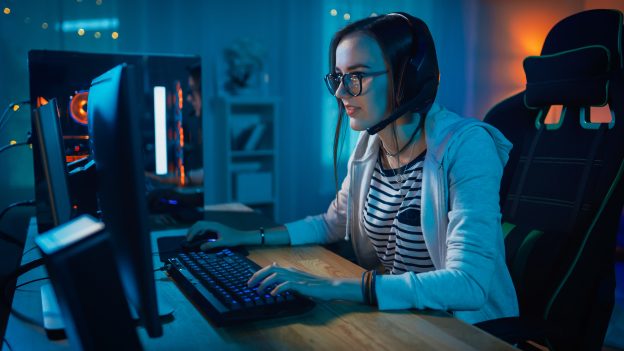
You drop into the Battle Bus, the island stretches out below, and your squad is already arguing about where to land. Maybe you’re chasing that first Victory Royale of the night, grinding quests after work, or jumping in because Fortnite is the one game everyone seems to come back to.

But sometimes the experience isn’t so smooth. Lag spikes ruin firefights. Matchmaking feels sweatier than usual. You can’t connect at school, work, or on a restricted network. Or maybe you’ve heard rumors online: “Use a VPN to get easier lobbies” or “A VPN can lower your ping.”

Gamers can’t help but look for that magic bullet that will give them an edge.

That’s where the question starts popping up: Can you use a VPN on Fortnite? And more importantly, should you?

Let’s break it down and look at the facts.

Can You Use a VPN on Fortnite?

Yes, you can use a VPN while playing Fortnite, and many players do, often without issues.

Fortnite itself doesn’t block VPN usage outright or discourage it entirely. However, Epic Games does care about how and why you’re using one. The distinction matters.

Traditionally, VPNs are used to improve online privacy, secure your connection on public Wi-Fi, or gain access to games and apps that are restricted on local networks.

That type of usage is accepted. However, using a VPN to try to game the system is not. A few examples of behaviors that are frowned upon by Epic Games include using a VPN to:

  • Manipulate matchmaking
  • Evade bans
  • Gain unfair advantages

In short, VPNs aren’t forbidden, but misusing them can put your account at risk.

Benefits of Using a VPN on Fortnite

When used for the right reasons, VPNs offer legitimate advantages to online gamers.

Let’s look at all the reasons to use a VPN in Fortnite that will level up your experience.

Improved Privacy and Security

One key point to keep in mind is that developers like Epic Games have to protect their properties first and foremost.

User privacy is something we can’t assume will always be a top priority. Thus, it’s a good idea to remain proactive about your online privacy to shield yourself from threats.

A VPN hides your IP address and encrypts your connection. This can:

  • Reduce exposure to DDoS attacks
  • Protect you on public or shared Wi-Fi networks
  • Add a layer of privacy while gaming online

This is especially relevant for streamers or competitive players.

Playing on Restricted Networks

Some schools, workplaces, or dorm networks block gaming traffic. This happens when network administrators manually select apps or games to restrict access to.

A VPN can sometimes help bypass these restrictions and allow Fortnite to connect normally. Of course, you’ll want to use discretion when using a VPN for this purpose.

Stable Routing (In Some Cases)

You can’t typically turn a bad internet connection into a good one. However, in rare situations, a VPN may:

  • Route traffic more efficiently
  • Avoid ISP throttling
  • Reduce packet loss

These benefits aren’t guaranteed. It often depends on your VPN provider and server choice.

Risks and Considerations

This is where some players get into trouble.

Employees at Epic look at user behavior in manual reviews and need to make quick judgments about whether there are red flags there or not. Also, automated systems are used to locate accounts that break their rules. It’s important to remember that these methods aren’t perfect.

Thus, using a VPN can lead to account actions if it’s paired with other activities that are seen as suspicious.

Epic Games’ terms prohibit:

  • Circumventing systems
  • Gaining unfair advantages
  • Evading enforcement actions

If a VPN is used to manipulate matchmaking regions or dodge bans, it could result in warnings, suspensions, or permanent bans.

Increased Ping and Lag

A VPN adds an encrypted layer between your device and your internet connection for enhanced privacy, but it’s important to remember that speed is the common trade-off. Often, a VPN will:

  • Increase latency
  • Add connection overhead
  • Make gameplay less responsive

For best results, choose a VPN server that is close to Fortnite’s servers.

Inconsistent Matchmaking Claims

There’s a popular belief that VPNs lead to “bot lobbies” or easier matches. In reality:

  • Fortnite matchmaking is complex
  • Skill, account behavior, and hidden metrics matter more
  • Results are inconsistent and unreliable

Many players report no noticeable difference after the initial novelty wears off.

Who Should Use a VPN on Fortnite and Who Shouldn’t

When it comes to Fortnite, VPNs aren’t a one-size-fits-all solution.

Depending on your needs and what you value the most, a VPN can be essential or not be worth the performance compromise.

VPNs Make Sense If You:

  • Play on public or shared Wi-Fi
  • Want added privacy or security
  • Need access on restricted networks
  • Are streaming and want IP protection

VPNs Aren’t the Solution If You:

  • Want easier lobbies or competitive advantages
  • Are trying to bypass bans or penalties
  • Already have low ping and stable gameplay
  • Play competitively where latency matters most

Only the fastest VPNs are worth a look if performance is your top priority.

What Reddit Users Have Experienced

If you’re looking for consistent and significant changes to functions in the game when using a VPN, Reddit users tell a different story. Across Fortnite and VPN-related subreddits, user experiences follow similar patterns:

  • Short-term curiosity, followed by mixed results
  • Some report smoother connections; many report higher ping
  • “Bot lobby” claims are inconsistent and often debunked
  • Players who used VPNs aggressively for matchmaking manipulation often regret it

The most consistent takeaway from Reddit: VPNs should be used for privacy rather than performance.

Quick Guide to Setting Up Your VPN

Ready to get started with using a VPN on Fortnite? Here’s a simple setup guide:

  1. Choose a reputable VPN provider (fast servers, low latency): Check out LetMeBy’s top VPNs for gaming here.
  2. Select a server close to your physical location (ideally close to Fortnite servers).
  3. Connect before launching Fortnite.
  4. Run a few matches and monitor ping.
  5. Disable the VPN if the performance drop is prominent.

Avoid frequently switching regions or hopping between servers mid-session. It raises red flags and usually hurts gameplay.

Conclusion

So, can you use a VPN on Fortnite? You bet. Should you? That depends entirely on why you want to.

If your goal is privacy, security, or access on restricted networks, a VPN makes sense. If you’re hoping for easier matches, lower ping, or loopholes in matchmaking, the risks outweigh the rewards.

Fortnite runs best on a direct, stable connection, but the enhancements of a VPN are worth it to those who value privacy. A VPN is a fantastic tool, not a cheat code. Use it judiciously because using it the wrong way can cost you more than a bad match.

Whatever you choose to do, enjoy your next Victory Royale and have a blast.

Should You Use a VPN in Battlefield?

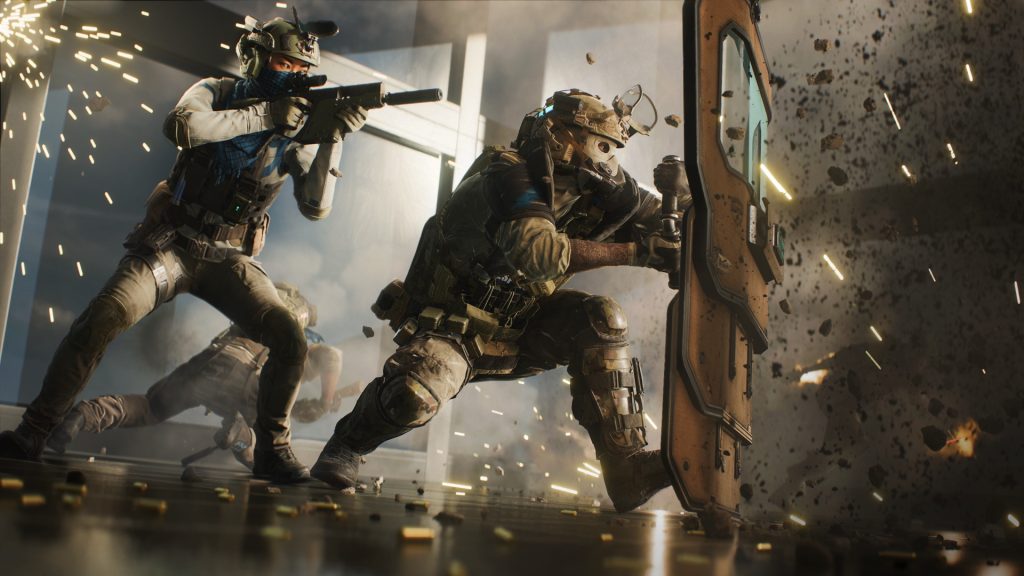
There’s nothing like the rush from a good round of Battlefield, but as the song by Poison taught us, every rose has its thorn. After encounters with cheaters aka hackers that are inevitably a part of the multiplayer experience, gamers are finding ways to protect their online privacy.

As EA can only do so much to keep threats at bay, it pays to be proactive about safe gaming practices, find solutions yourself, and experiment.

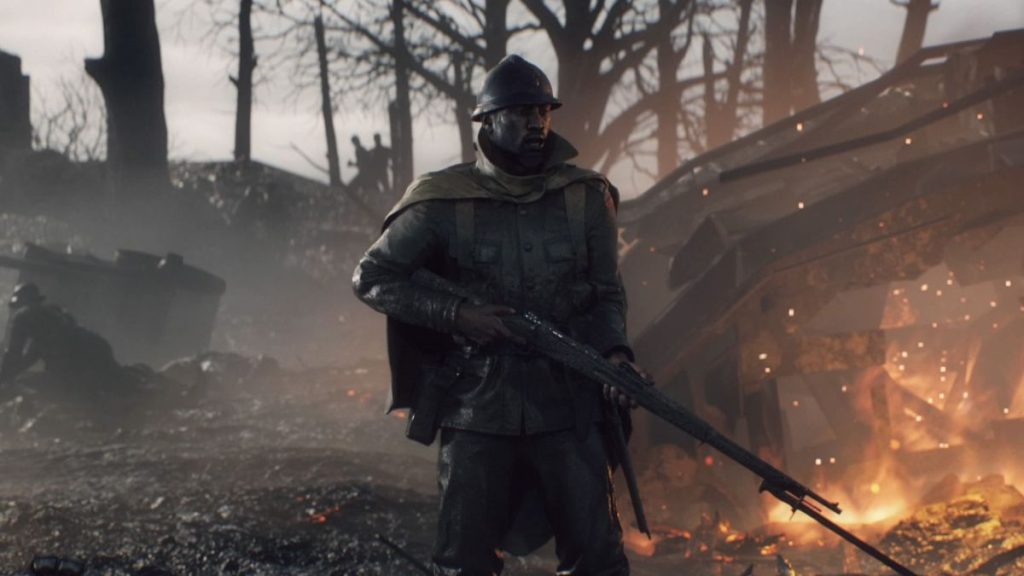
Using a Virtual Private Network (VPN) while playing Battlefield titles like Battlefield 1Battlefield 5, and Battlefield 2042 can offer both advantages and potential roadblocks. Savvy players fire up their VPNs to reduce latency, access region-locked servers, or enhance online privacy. However, it’s essential to understand Electronic Arts’ (EA) stance on VPN usage, the experiences of other gamers, and the security implications involved.

EA’s Position on VPN Usage

First things first, are VPNs even allowed?

EA doesn’t explicitly prohibit the use of VPNs for playing Battlefield games. In community discussions, EA representatives have stated that using a VPN is generally acceptable. For instance, in a forum thread discussing VPN usage for better connectivity, an EA community manager responded:

“You can use a VPN without any issues.” (forums.ea.com)

However, while EA may allow VPN usage, individual game servers—especially those managed by third parties—might have their own rules. Some servers are configured to detect and kick players using VPNs to prevent potential abuse or cheating. As highlighted in a community discussion:

“If you’re using a VPN for whatever reason, there are a lot of servers that are set to kick players who use VPNs. So, keep that in mind.” (steamcommunity.com)

Another point to keep in mind is that when you use a VPN it assigns you an IP address, and if that IP has been flagged or banned, you won’t be able to connect to the servers and find a match.

Redditors’ Experiences with VPNs in Battlefield

Reddit has big communities for all flavors of Battlefield. Gamers share their experiences and solutions related to VPN usage with multiplayer. Some players have reported improved connectivity and reduced lag when using VPNs, especially when their default internet routes are suboptimal. For example, a Reddit user mentioned that using a VPN significantly lowered their ping, making the game more responsive.

Other Battlefield fans have faced frustrations, such as being unable to connect to certain servers or experiencing unexpected disconnections. These mixed outcomes underscore the importance of choosing a reliable VPN service and being aware of server-specific policies.

Security Considerations for Online Privacy in Battlefield

Unlike the older Call of Duty games, active Battlefield games such as Battlefield 1Battlefield 5, and Battlefield 2042 are generally safe. However, it never hurts to protect your account and your device.

For players concerned about online privacy, using a VPN can provide an added layer of security by encrypting internet traffic and masking IP addresses. This can help protect against potential threats like DDoS attacks or unauthorized tracking.

EA emphasizes the importance of security and encourages players to report any vulnerabilities:

“It’s important to us to fix potential security issues in our games, products, and services to protect our players.” (forums.battlefield.com)

While EA strives to maintain a secure gaming environment, players should also take personal measures. Using strong, unique passwords for gaming accounts, enabling two-factor authentication, and staying informed about potential security threats are all best practices.

Cheating in Battlefield

Cheating in Battlefield’s multiplayer has been a persistent issue.

Some players use hacks and cheat software to gain unfair advantages with aimbots, wallhacks, and other exploits. This undermines fair play and at times it ruins the fun for legit players.

To combat this, developers have implemented various anti-cheat measures. For instance, in Battlefield V, DICE focused on enhancing client security, scaling detection efforts, and exploring additional deterrence methods alongside account bans. Despite these efforts, reports of cheating persist across the series. People who refuse to follow the rules are persistent and somehow, they always find new workarounds and methods.

Battlefield has a loyal following which is another aspect that makes it enticing to cheaters. As of this writing, Battlefield 1 and Battlefield V have the most concurrent players in the series, with 11,800 and 9,000 players respectively.

Various bad actors and the massive size of Battlefield’s online community are two more reasons to consider enabling a VPN during play sessions.

Conclusion

Leveraging a VPN in Battlefield can enhance your gaming experience by potentially reducing lag and offering access to different regional servers. Still, it’s essential to be aware of EA’s guidelines, individual server rules, and the experiences of other VPN users.

Prioritizing both connectivity and security ensures a smoother and safer gaming experience. That is until you get blasted by a Sherman tank.

VPNs Have Exploded in Popularity in Canada, Here’s Why

A recent VPN usage survey commissioned by NordVPN found that over one-quarter of Canadians use VPNs.

As a country, Canada landed in the top five in terms of VPN awareness too. Nearly seven Canadians in ten have heard of VPNs. Other countries with above-average awareness include the U.S., United Kingdom, Hong Kong, Poland, Singapore, Taiwan, Spain, and Brazil.

Demographics of VPN Users

If you’re wondering what the typical VPN user looks like, I’ve got you covered. They’re more likely to be male and the largest age group is between 25 and 44 years old. This group leads the way in most other countries as well.

There are two big factors intersecting here: being old enough to have a budget for the extras in life and young enough to recognize the need for better online privacy. Millennials, Gen Xers, and Xennials are right in the sweet spot.

So, getting to the main topic, why are Canadians adopting VPNs faster than countries such as France, Italy, Japan, and South Korea?

What Canadians Say About Their VPN Usage

HelloSafe surveyed Canadians across the country about their VPN usage and there are some notable differences in their results compared to NordVPN’s findings.

First things first, here are the reasons Canadians said they use a VPN:

  • To secure a Wi-Fi connection – 68%
  • To enjoy content from other countries – 36.8%
  • To hide an IP address – 31.5%
  • To avoid censorship – 26.3%

Interestingly, they found that only one in ten Canadians use a VPN at least once a week. That’s a big difference from what the study for NordVPN found. However, how HelloSafe phrased the question pushed the figure down. How many people are aware enough of their VPN usage to give an accurate response?

Although general adoption is undoubtedly higher, HelloSafe’s study could indicate that Canadians are using VPNs with a purpose in mind. While there are plenty of reasons to have your VPN enabled all the time, it’s common for people to use their VPN only when they want to achieve a specific outcome.

Reasons Canadians Should Use a VPN

Now that we’ve looked at the responses Canadians gave about their VPN usage, let’s look at the benefits in detail.

1. Safeguard Your Data

Companies and Institutions want your data to make informed decisions. Data about customers and potential customers is a valuable resource to them.

When you use online services, data about your usage and behaviours become part of a massive data set. It often happens without the user’s knowledge and their ongoing consent. Rather, the details about data collection are buried somewhere in the companies’ terms of service or privacy policy.

Additionally, malicious users and cybercriminals are always looking for ways to gain personal information to aid in their agenda.

VPNs give you a powerful way to opt out of excessive data collection which is now the norm. It protects your identity online by hiding your IP address. This makes it difficult or impossible for others to pinpoint your device and your location.

2. Get Access to Geo-Restricted Content

It’s normal for Canadians to feel left out when their favourite TV shows and movies aren’t available on streaming apps. Harry Potter, Good Fellas, and Seven are just a few examples of classic movies that aren’t available on Netflix Canada.

Canadian subscribers typically get access to less content overall than Americans on streaming sites such as Netflix, Hulu, and Amazon Prime Video. It works the opposite way too as shows like The Office and Fargo are available for streaming in Canada but not in the U.S.

Websites and apps sometimes use geo-targeting to determine which content or content libraries to display to the user. It’s annoying when music in social media posts, videos on websites, news, etc. are blocked in specific countries.

VPNs replace your IP address with a different IP located in the country of your choice. This allows you to view content intended for people in any country in the world.

3. Make Public Wi-Fi Safe

Public Wi-Fi is notorious for its slow speeds and spotty stability, but it’s security that people should be most concerned about. A survey by All About Cookies found that one in four experienced a security issue from accessing the internet through unsecured networks.

It’s best to assume the Wi-Fi you use in restaurants, hotels, or at the airport isn’t secure. That means your private data, including login credentials associated with sites you visit, is being transmitted with no encryption and could be intercepted.

Any time you use a VPN, the data being transferred from the network to your device and back is protected with the highest level of encryption.

4. Protect Your Identity When Playing Online Games

Online gaming is huge, and while it’s incredibly fun to explore digital worlds, being connected with so many other players has its risks.

Gamers have to watch out for malware, account takeover, phishing attacks through messaging, data breaches, and many other threats.

Gaming platforms like Steam and PSN collect plenty of data about their customers. While you can drill down into the privacy settings and make changes, there are certain types of data collection you might not be able to opt out of.

VPNs make it impractical or impossible for malicious gamers, gaming platforms, and third parties to see the IP address of your PC or pinpoint your location.

Looking for the Best VPNs?

It’s getting more common to see VPNs packaged with other software and services such as comprehensive online security suites. However, there’s power in choosing the best VPN for you rather than settling for solutions that try to do everything.

If you’ve never used a VPN before or are looking for a new one, have a look at LetMeBy’s top 3 VPNs.

Conclusion

There’s been a big boost in awareness and usage of VPNs. At this point, most people have heard of VPNs and they have a rough idea of what they do. Canadians are pushing forward and taking control of their destiny online.

Still, we’re in the early days in terms of leveraging privacy enhancement tools like VPNs. Canadians are using VPNs to achieve their goals but if the data from HelloSafe is accurate, most haven’t jumped in with both feet yet.

Why Gamers Should Keep Their Antivirus On

Some disable their antivirus before playing online games because they believe it gives them smooth gameplay, the highest FPS (frames per second) possible, and reduced lag.

Some functions of antivirus software can indeed interfere with your gaming experience, such as scheduled system scans, notifications of stopped threats, or virus database updates.

Disabling antivirus software might seem like a viable option in the short term. But at the end of the day, it can’t be justified due to advancements in antivirus software and the introduction of “gaming mode.”

Studies have shown that the normal functions of antivirus that monitor for viruses and malware don’t diminish system performance when you’re playing games.

Keeping your PC protected with antivirus software during gaming sessions helps you avoid many threats that are specifically affecting the world of online gaming.

The Rise of Online Gaming

Once dismissed as a fad, online games have become the dominant form of entertainment. Did you know that online gaming revenue dwarfs both movie box office and recorded music revenue?

Games like Minecraft and Fortnite have hundreds of millions of active users alone.

Harnessing the power of the internet has changed gaming forever. It’s opened up astounding creative possibilities for game developers.

Online gaming also exposes people to a variety of dangers. The internet has provided the means for these threats. The explosion in popularity of gaming has made gamers an attractive group to target for bad actors.

Gaming Mode to the Rescue

To give gamers the best possible experience while keeping their systems safe, a lot of security software offers “gaming mode.”

This ensures that scans and updates are delayed until the gaming session Is over. Additionally, gamers aren’t interrupted by notifications when it’s enabled.

Gaming mode is one of the top features gamers should look for in antivirus software. Understandably, people don’t want to compromise gameplay to protect their PC, and with this feature, they don’t have to.

Bad Tech Experiences Dictating Future Actions

Some gamers have experienced headaches with antivirus and games conflicting in the past, thus it’s driven them to disable their antivirus to avoid reliving them.

One surefire way to make antivirus a nuisance is to install third-party antivirus software while keeping Windows Defender enabled. In this case, two is not better than one. Having two security solutions running won’t double or even increase the level of protection. However, it will almost certainly double the number of scans, notifications, and actions taken by each piece of antivirus software.

It never hurts to check how your antivirus is configured to make sure it considers your gaming habits. A full system scan once per week is sufficient for many, and it’s far less likely to interrupt a gaming session than daily scans. Schedule scans at a time when you don’t play games.

Forgetting to Reenable Your Antivirus

Another reason disabling your antivirus isn’t a good strategy is there’s always the possibility that you forget to reenable it after a gaming session. Let’s face it, after a particularly long or intense stretch of gaming, it’s easy to exit the game and move on to thoughts that couldn’t be further than your antivirus software.

You can certainly forget to disable “gaming mode” in your antivirus too. However, your PC is still well-protected if you do.

Common Threats that Gamers Face

Phishing: Many are familiar with phishing as it relates to email, social media, and the web. Fewer people are aware that scammers also use gaming platforms or even the games themselves to trick people. If someone messages you and asks for confidential information it isn’t legitimate no matter how credible they may appear at first glance.

Malware: Here’s another reason to avoid downloading cheats: it’s a common way to get malware. Malware can integrate itself into legitimate pages, so it can be tricky to spot.

Viruses and trojanized games: Some files that are labeled as games aren’t games at all, they’re viruses. These trojanized titles can be found on shady websites offering free games and even legit app stores at times. On online stores, check the date of release and read the game’s reviews to confirm it’s genuine. Beware of players you don’t know offering you in-game equipment, weapons, or downloads. They could be using bait to infect your PC.

Data breaches: Any website you have an account with can be hit with a data breach. This means that cybercriminals have successfully stolen private data from a massive list of a company’s customers. The games you play and gaming platforms you use don’t need to be affected for this to become a threat. The data can be used for credential stuffing. This is when hackers use data obtained from a breach to attempt to get into your gaming account.

Spyware: It isn’t always individuals and other players you need to defend yourself from, it’s also untrustworthy gaming operations. Spyware is deployed to track the actions of unsuspecting gamers. It then can be sold to third parties they’ve never interacted with.

In-game currency theft: If you’re dedicated to an MMO and have amassed an in-game fortune and legendary items, this one is for you. Some bad actors are breaking into people’s accounts specifically to get a hold of their inventory and in-game currency. Players who have invested countless hours into advancing their characters should protect their accounts accordingly with unique, particularly strong passwords.

Conclusion

Disabling your antivirus during online gaming sessions isn’t the solution it may seem to be. If there’s a time you need that protection the most, it’s when exploring online worlds.

Check to see if your antivirus supports “gaming mode.” Once you get into the habit of using it, you’ll wonder how you managed to live without it.