Tag Archives: TV shows

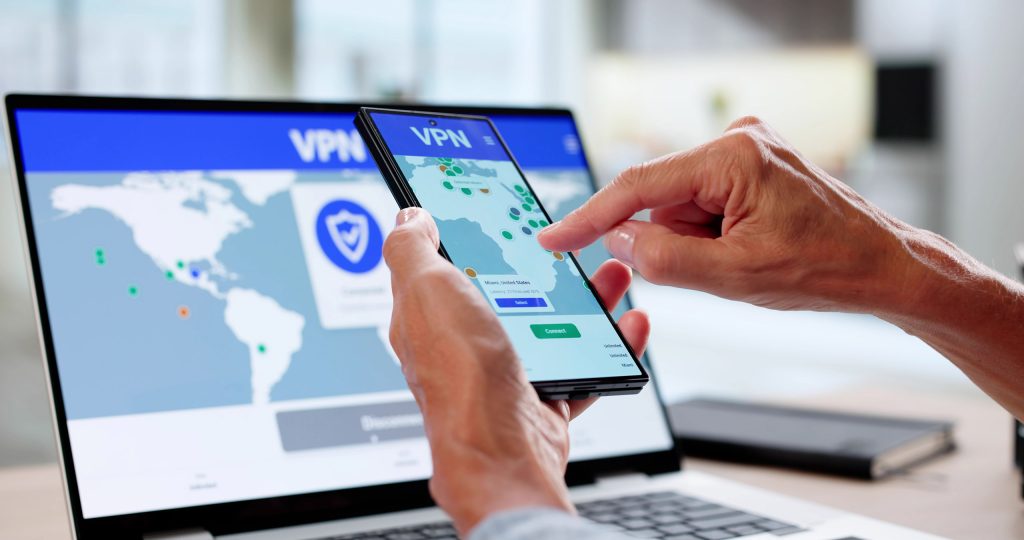
Prime Video Not Working With VPN: Easy Fixes

Just when you’re settled into the couch to binge-watch the show you’re obsessed with, Amazon Prime Video throws you a curveball. Instead of your next episode loading, you’re greeted with a frustrating error message or a vague “something went wrong” notice that leaves you guessing. Not exactly the relaxing evening you had planned.

If you’re using a VPN specifically to unlock content intended for other regions, you’ve discovered one of the realities of using it for this purpose. Simply put, it isn’t guaranteed to work. Suddenly, you’re stuck toggling settings, refreshing pages, and wondering if you broke something along the way.

The good news? These issues are extremely common, and they’re usually fixable without calling your friend who’s a whiz with computers. With a bit of guidance, you can troubleshoot the problem methodically and get back to streaming before your popcorn gets cold.

This guide walks you through exactly how to fix it step by step. And if knowing about what’s happening under the hood matters to you, why Prime Video blocks VPNs.

Decoding Prime Video’s Streaming Error

So, why do these error messages occur? When Prime Video detects something unusual about your connection, it may block playback entirely. You might be directed to a webpage with a message about a proxy or VPN being detected, or you could encounter endless buffering or unavailable content.

Streaming platforms rely on your IP address to determine your location and analyse your activity. If something doesn’t match up, like your IP shows one country while your device settings suggest another, it raises a red flag. Your current IP could have been added to block list because it’s been identified as a shared IP address associated with a VPN service.

In some cases, the error isn’t even explicit. You may notice that certain titles are missing or that playback fails. With no confirmation that your VPN is causing the issue, this ambiguity can make troubleshooting more challenging.

Why and How Prime Video Blocks VPNs

Wondering why Netflix is being so proactive about blocking VPNs? Streaming services like Prime Video have licensing agreements that specify where certain content can be shown. Because of this, they actively work to prevent users from bypassing regional restrictions to uphold their obligations to the studios and production houses.

VPNs route your internet traffic through servers in different locations. By doing so, it changes your visible IP address. While this is great for privacy, it also makes it harder for platforms to verify your real location.

To enforce their rules, Prime Video uses several detection methods:

  • Tracking known VPN server IP addresses
  • Monitoring large numbers of users connecting from the same IP
  • Detecting DNS mismatches between your device and network
  • Identifying traffic patterns typical of VPN usage

If your VPN server is flagged, your access gets blocked. In many cases, it has nothing to do with your activity on the platform.

Your Amazon Prime Account Is Safe

If you’re concerned that your account might be banned for using a VPN, take a deep breath.

Prime Video typically doesn’t suspend accounts for VPN usage. Remember, they want to keep you as a customer. Instead, it simply pauses access until it detects a standard connection that isn’t associated with a VPN service. Your subscriptions, watch history, and account details remain intact.

How to Access Prime Video When Your VPN Doesn’t Work

1. Connect to a Different Server

Not all VPN servers are created equal. Prime Video flags some, while others still work perfectly.

Here’s where you want to start with your troubleshooting journey. Switch to a different server in the same region using your VPN’s app. Then refresh your page or relaunch Netflix. This is often the quickest and most effective fix.

2. Clear Your Browser’s Cache and Cookies

Your web browser stores location data that can conflict with your VPN connection. Clearing the cache and cookies removes this stored information and creates a fresh connection. You’ll typically find it in the privacy and security section of your browser’s settings.

After clearing the cache, restart your browser before testing playback on Netflix again.

3. Log Out of Prime Video and Sign Back In

Sometimes your session data becomes tied to your previous IP address. Logging out and logging in again refreshes your session and can resolve playback issues.

This might not work on its own, but if you’ve tried other solutions and aren’t seeing the results, try it out.

4. Try a Different Browser

Browsers handle location tracking differently. If you’re having trouble on one browser, switching to another can bypass the issue entirely. For example, if Google Chrome is your default browser, try using Mozilla Firefox or Microsoft Edge.

It’s a temporary fix if you’re not interested in switching browsers, but it’ll help you get your shows and movies faster.

5. Try a Different Device

If you’ve tried several solutions and aren’t getting anywhere, test another device. Simply switching to a device like a smartphone, tablet, or smart TV is known to completely change the game.

This helps determine whether the problem is device-specific or related to your VPN setup.

6. Update the VPN App

Outdated VPN apps may use servers or configurations that no longer work with streaming platforms. In general, it’s the type of app you want to update as frequently as possible.

Make sure your VPN software is the latest version to access the latest servers and fixes.

7. Change the VPN Protocol

As you may know, VPN protocols control how your data is transmitted. Some are faster but easier to detect, while others are more secure and harder to block.

Switching protocols (for example, from OpenVPN to WireGuard) can sometimes restore access instantly. You may have to drill down in the settings of your VPN app a bit, but most major providers allow you to change it.

8. Activate the Kill Switch and DNS Leak Protection

This trick is a bit of a two-in-one. First, a kill switch ensures your real IP address isn’t exposed if the VPN disconnects. Second, DNS leak protection prevents your device from revealing your true location through DNS requests. Both are often enabled by default in VPN apps, but have a look to be sure.

These features help maintain a consistent and secure connection. That’s a good proactive step, as Prime Video is less likely to flag your account.

9. Flush Your DNS

Your system may store outdated DNS records that conflict with your VPN.

In Windows, open Command Prompt as an administrator. Type ipconfig /flushdns, and press Enter.

On Mac, open Terminal and type sudo dscacheutil -flushcache; sudo killall -HUP mDNSResponder, and press Enter. It will prompt you to enter your system password to continue.

Flushing your DNS clears this data and forces your device to fetch updated network information. It’s a simple fix that can resolve stubborn connection issues.

10. Get a Dedicated IP Address

Shared IP addresses are more likely to be flagged because many users connect through them.

A dedicated IP is used only by you, making it less suspicious and more reliable for streaming. It’s often offered as an add-on by top-notch VPN providers like NordVPN.

11. Ask Customer Support for Assistance

If you’re using a reputable VPN, their support team likely knows which servers currently work with Prime Video. Ask support about how you can go about reliably connecting to Netflix with your VPN enabled.

They can guide you to the best options efficiently, saving you time and frustration.

12. Switch Your VPN Service Provider

If nothing else works, your VPN provider may simply not be compatible with Prime Video.

Some VPNs invest heavily in bypassing streaming restrictions, while others don’t prioritize it. Switching providers can make a significant difference.

Try popping into communities on Reddit or on message boards to see which VPNs Prime Video users recommend. You can also check out LetMeBy’s top 3 VPN providers to get started in your search.

Conclusion

Running into VPN issues with Prime Video can be a headache, but it’s rarely permanent. Most problems come down to mismatched data, outdated settings, or flagged servers. All of these can be fixed with a few targeted adjustments.

The key is to approach troubleshooting step by step rather than trying to tackle a bunch at once. Start simple, test each change, and you’ll usually find a solution.

It feels gratifying to get everything working again. Reward yourself with some popcorn or a chocolate bar and enjoy the show.


Netflix Not Working With VPN: Easy Fixes

Just when you’ve grabbed your popcorn and got cozy on the couch, technology has other plans. You fire up Netflix, connect to your VPN, and instead of your show, you get an error message. Frustrating? Absolutely. Is it common? Very.

The good news is that this issue is usually easy to fix. All you need to do is run down a list in a troubleshooting guide such as this one and let the process of elimination work its magic.

Let’s break down what’s happening so you can get back to your favorite content.

Decoding Netflix’s Streaming Error

First, we’ll turn our attention back to that dreaded error. If you’re using a VPN and Netflix detects it, you’ll likely see a message like this:

“You seem to be using an unblocker or proxy.”

This typically comes with an error code such as M7111-5059 or M7037-1111.

So, what’s going on behind the scenes? Netflix compares your IP address against known VPN and proxy IP ranges. If it detects one, it blocks access to region-specific content. Thus, for as long as you have the same IP address as you have now, you’re probably out of luck until you take action.

Why and How Netflix Blocks VPNs

You’re a paying customer in good standing, so why do you have to deal with this?

Netflix enforces regional licensing agreements. The studios that produce the content only want certain shows and movies available in specific countries. They can either make that call for legal or business reasons. To comply, Netflix actively works to detect and block VPN usage because they know you’re using it to bypass its restrictions.

They do this by:

  • Monitoring large numbers of users sharing the same IP address
  • Flagging IPs associated with data centers (common for VPNs)
  • Using advanced detection systems to identify proxy traffic

This is why even reliable VPNs occasionally stop working. It’s a constant cat-and-mouse game. The reality is, if you want access to content outside your country, some tinkering is required on an ongoing basis.

Your Netflix Account Is Safe

If you’ve never encountered this before, it could be time for a deep breath. Let’s clear up a big concern: Netflix does not ban accounts for using a VPN. They want your business, but they also need to keep the studios that make their platform possible happy.

At worst, you’ll be temporarily blocked from streaming until you disconnect the VPN or switch to a working server.

Your account, subscription, and watch history are all completely safe.

How to Access Netflix When Your VPN Doesn’t Work

It’s time to jump in and start troubleshooting. Here are the most effective fixes, starting with the simplest:

1. Connect to a Different Server

VPN providers often have multiple servers in the same country. If one is blocked, another might still work.

Typically, you use the VPN app to select a different IP address associated with a different state in the US. Some apps show you a map, making it intuitive to switch.

👉 This is the fastest and most effective fix in most cases.

2. Clear Your Browser’s Cache and Cookies

Old location data stored in your browser can conflict with your VPN. If Netflix detects a discrepancy, it may block you from connecting to the service.

Go to the privacy settings in your browser and look for stored data you can delete.

  1. Clear cache and cookies
  2. Restart your browser
  3. Reconnect to Netflix

3. Log Out of Netflix and Sign Back In

Sometimes, Netflix holds onto your previous location session. To force a refresh, log out and then log back in.

It’s one of the oldest tech tricks in the book, but it only takes a few seconds to test.

4. Try a Different Browser

Browsers handle location data differently. If you’re having trouble in Chrome, try another application such as Firefox, Edge, or Safari.

Additionally, if you’re testing with a browser you don’t commonly use, make sure the version is up-to-date.

5. Try a Different Device

Using a different device can allow you to efficiently work around the problem rather than trying to pinpoint it.

As an example, if your smartphone or tablet isn’t working with Netflix, try:

  • Laptop
  • Smart TV
  • Streaming device (like Fire Stick)

This helps determine if the issue is device-specific. Sometimes a mobile device’s OS has restrictions that allow data to be leaked, so VPN usage is detected.

6. Update the VPN App

Outdated VPN apps may use older IP ranges that Netflix has already blocked.

Make sure you’re running the latest version of your VPN app. It’s always a good idea to keep it updated anyway for security reasons and to take advantage of the software’s latest enhancements.

7. Change the VPN Protocol

Here’s a more advanced feature that many VPN users aren’t aware of. By switching protocols, your VPN can sometimes bypass detection on Netflix.

Common options include:

  • OpenVPN
  • WireGuard
  • IKEv2

Many VPN apps let you toggle this in settings.

8. Use Smart DNS

Smart DNS reroutes only your DNS queries instead of your entire connection. In the process, your location data is wiped so it can’t be detected by Netflix.

Some VPN services, such as NordVPN, have Smart DNS features built right into their app. More commonly, it has to be set up manually.

Pros:

  • Faster speeds
  • Less likely to be blocked

Cons:

  • No encryption (less privacy, but adequate for streaming)

9. Disable IPv6

If your device uses IPv6 while your VPN only protects IPv4, your real location is exposed.

Disable IPv6 in your network settings to force IPv4 routing.

In many cases, VPNs handle traffic that is routed over IPv4 more reliably.

10. Get a Dedicated IP Address

Shared IPs are easier for Netflix to detect as they’re used day in and day out by many users. A dedicated IP is used only by you, making it less likely to be flagged.

This is usually offered as a paid add-on by VPN services. For people who frequently need a US IP address, it’s worth it.

11. Ask Customer Support for Assistance

Good VPN providers track which servers work with Netflix.

Contact support and ask:

“Which servers currently work with Netflix?”

You’ll often get a quick, accurate recommendation.

If the issue is widespread, they’ll let you know they’re working on the issue and could give you details about when it could be resolved.

12. Switch Your VPN Service Provider

Not all VPNs are created equal when it comes to streaming.

If nothing works, it may be time to switch to a provider known for consistently bypassing Netflix blocks. Before you decide, check out the top 3 VPNs recommended by LetMeBy.

Conclusion

Running into VPN issues with Netflix is frustrating but rarely complicated to fix. In most cases, simply switching servers or clearing your cache does the trick.

If not, working through the steps above will almost certainly get you back to streaming your favorite shows. And remember: they’re not picking on you. It’s just Netflix doing its job.

Now, back to the couch and the next episode of Stranger Things.

How to Watch US Netflix in Canada

Oh Canada, you’re lovely but Canadians can’t help but want the stuff Americans have. Although the CN Tower and Whistler’s ski resorts are iconic, sometimes one craves New Orleans’ cuisine or the energy of New York City.

Netflix Canada has come a long way. It ranks third in terms of having the most content and is one position behind the US which is second. Still, depending on your watching habits, many think that Netflix US is far ahead.

US Netflix Vs. Netflix Canada

On paper, there doesn’t seem to be a huge difference between the content library in Netflix US versus Canada. According to a snapshot of its content in 2022 Canada offered about 5,730 titles (both movies and TV shows). And Netflix in the US had 5,879 titles. That’s only 149 additional titles to choose from. However, don’t let the stats fool you!

Netflix US has the top-rated TV shows so many are itching to watch! Healer, The Best of Enemies, The Office, and Grey’s Anatomy are examples of popular shows that Canadian Netflix subscribers don’t get access to. The American version of Netflix shines when it comes to its selection of TV shows.

Netflix Canada has its strengths too. Canadians get access to some award-winning movies that Americans don’t such as Wind River, Hell or High Water, and Eastern Promises. Additionally, their Canadian library has some TV shows like Pretty Little Liars and Fresh Prince of Bel-Air which are nowhere to be found on US Netflix.

Why Netflix US has Awesome Shows Canadians Don’t Get

It’s a bit frustrating. Why are Canadian subscribers excluded from some of the best content on Netflix? First, we need a basic overview of how the TV and film industries work.

Although Netflix is the service that delivers all the programming the vast majority of its content is supplied by movie studios, television networks, and other providers.

Netflix signs contracts with each company that creates content so new titles can be added to their libraries. In those contracts, the studios and networks specify which regions get access to their titles and which ones don’t.

Thus, Netflix is simply following these contracts and delivering content according to the requirements of its creators. Most of us will never know exactly why The Office isn’t available to Canadians. Customers simply have to work with the cards they’re dealt.

How Netflix Knows Its Subscribers are Based in the US or Canada

When you visit Netflix’s website it automatically directs you to a regional version of their site. So, if you live in Canada it ensures you’re doing business with Netflix’s Canadian operations. It means you’re billed in CAD and get access exclusively to their content for Canadian subscribers.

Each time you use the Netflix app to watch programming the app detects where you’re located. Your smartphone, PC, or other device has an IP address associated with it. That IP is a quick, effective way for providers to know what country you’re accessing their service from.

So, in theory, it doesn’t matter if you signed up with Netflix Canada or Netflix US. What’s significant is the country you’re currently accessing Netflix from. To test this, Canadian subscribers can watch Netflix while they’re on vacation in the US. Voila, they’ll have full access to Netflix’s US content library.

How to Watch Netflix’s US-Only Content in Canada

To view the Netflix US content library, you need to appear to be in the US when the Netflix app or website checks your location.

The most effective way to watch Netflix in Canada is by using a VPN. What’s that? It means virtual private network. A VPN works between your internet service provider and the website or app you’re connecting to. It creates an intermediary layer that enhances your security and privacy online. VPNs make it easy to change your IP so you can choose an IP address that is associated with any country.

Over the years Netflix has detected that many users are accessing their app and website from the same IPs. So yes, they’re wise to the use of VPNs to view regional content. In fact, some IPs won’t work with Netflix, and some VPN services are better than others for streaming Netflix. If too many people are already using the same IP address users can be temporarily denied access. The good news is this is often solved simply by choosing a different IP address from those provided by your VPN.

Tips on Choosing the Right VPN for Watching Netflix

Netflix is constantly improving its tech and refining its policies. One example of this is their crackdown on password sharing which started at the end of 2022.

Before subscribing to a VPN service it’s advised that you check the latest posts on Reddit’s r/NetflixViaVPN community. Redditors there share which VPNs they’re using and which VPNs work with Netflix as well as which ones don’t.

To ensure you go with a solid VPN service overall read LetMeBy’s reviews of the top 3 VPN services.

Want the fastest answer? These are the VPNs most commonly recommended here for watching Netflix US in Canada:

When it comes to the best VPN services for streaming, speed is a key factor. HD video takes a good amount of bandwidth and all that data is sent through your VPN. Pretty much any VPN that requires a monthly subscription is speedy and capable of streaming high-quality video.

Are There Risks Associated with Watching Netflix US in Canada?

It’s clear that Netflix is aware that people use VPNs to unblock content and they’d rather their subscribers didn’t. Using a VPN is against their terms. However, a lot of Netflix subscribers have a VPN. It’s becoming more and more common to use VPNs for general internet use and most people that have one never turn it off.

Netflix aims to enforce its rules while keeping its subscribers. So, Netflix won’t toss you off its platform for watching TV shows and movies with a VPN. At worst an IP address provided to you by your VPN will be blocked by Netflix. In many cases, it’s just a question of choosing a different IP that isn’t on their radar.

Wrapping It Up

Some of the best TV shows are on Netflix US but Canadian subscribers don’t need to feel left out. A Canadian Netflix subscriber with a VPN gets the best of both worlds. This gives you access to content that Americans don’t get, plus all the exclusive content available in the US.

VPNs are handy for watching Netflix but that’s really just the beginning of their applications. Browsing the Web while knowing your every action isn’t being tracked is a liberating experience.