
Canadians can’t help but feel a bit of envy at the vast array of digital services available to Americans. But beyond that, a US IP address is a superpower for Canadians in quite a few applications.
Whether you want to binge-watch a US-exclusive show on Netflix, test how your website looks to American visitors, or unlock services that are only available south of the border, getting a US IP address while living in Canada is easier than ever.
Think of it like virtually crossing the border without lining up at the bridge or explaining your plans for the day to a customs officer. With the right tools and know-how, you can browse the internet as if you’re sitting in Buffalo instead of Burlington. Essentially, it comes down to adding another layer between your internet connection and what you’re accessing online, so your real IP is hidden.
In this guide, we’ll cover what a US IP address is, why you might want to use one, and the top methods to get one in Canada. You’ve got plenty of options, including VPNs, proxies, Smart DNS, or even a dedicated IP.

What’s a US IP Address?
First off, let’s start with the basics. An IP (Internet Protocol) address is a unique string of numbers assigned to your device when it connects to the internet. It acts like your digital mailing address, and it’s commonly used by companies to identify different users.
A US IP address is simply an IP address assigned to a device located in the United States. Websites use your IP to determine:
- Your country and sometimes your city
- Which version of their site to show you, if different versions exist
- What content is available to you
- Pricing and ads tailored to your region
So, if you’re based in Vancouver, B.C., your IP will normally be seen as Canadian by the technologies that detect it online. Switch to a US IP, and websites will treat you as if you’re browsing from New York, Chicago, or Los Angeles.

Reasons to Change Your Virtual Location from Canada to the US
Since you came across this article, it’s clear you want a US IP address or are considering it. But let’s explore all the reasons to get one.
1. Access US-Only Streaming Content
Due to copyright factors and the business strategies of studios and streaming apps, content libraries differ by country.
The US versions of platforms often feature larger catalogs of the movies and shows people really want to see. If you’ve ever heard a friend say, “It’s on US Netflix, but not Canadian Netflix,” you know the feeling.
2. Use US-Only Websites or Services
Some American business tools, sports platforms, or software services restrict access to customers who live outside the US.
Canadians are used to waiting and hoping the digital services they’re interested in will become available in their region. At times, it happens, but just as often it never does. One key example is the free version of Google Voice, which US customers have been enjoying since its release in 2009.
3. Compare Prices
Let’s face it. Canadians are used to paying more for many goods and services. And as much as it feels good to buy Canadian, it can make financial sense to do your online shopping on US sites.
Some online retailers show different prices depending on your country. Using a US IP can let you see American pricing.
4. Website & SEO Testing
If you run a blog or website for your small business, testing how your content appears in US search results can give you an advantage.
You also may want to tailor offers to US and Canadian customers. A US IP is an essential tool to confirm that the geo-targeting on your site works correctly.
5. Privacy
In terms of daily browsing, privacy is a top reason to hide your IP from prying eyes and bad actors. It gives you a degree of anonymity by masking your real location.
Using an IP associated with a different country, like the US, is often one step better than simply using a different Canadian IP.

Top Methods to Find Your Current IP Address
Despite its significance, few people know their IP address offhand. Before changing anything, the first step is to make note of your current IP.
Here are a few fast and easy ways:
- Search “What is my IP” on Google.
- Visit a website like WhatIsMyIPAddress.com to check your IP.
- Have a look at your router settings.
- Use the command line in your operating system (`ipconfig` on Windows, `ifconfig` on macOS).
Doing a quick test with any of the above methods will confirm whether your IP is currently a Canadian one.
Getting a US IP Address with a VPN
The most popular and reliable way to get a US IP address is by using a Virtual Private Network (VPN).
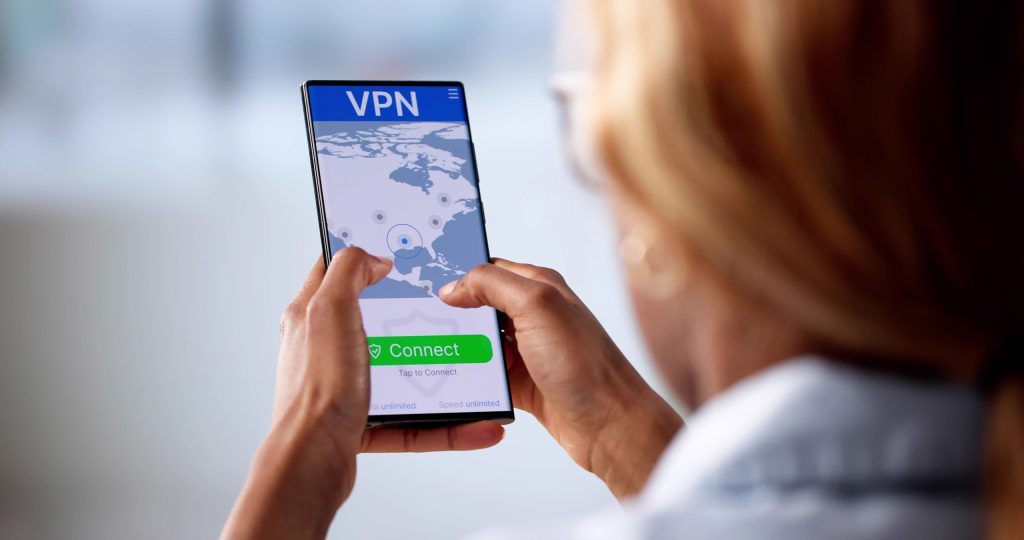
A VPN works by routing your internet traffic through a server in another country using strong encryption. It’s typically enabled with a dedicated app. When you connect to a US server, websites see the VPN server’s American IP instead of your Canadian one.
How It Works:
- Find a suitable VPN service and subscribe. Be sure to view the top 3 VPNs recommended by LetMeBy before you do.
- Install the VPN app on your device.
- Select a server located in the United States.
- Connect with the new IP.
- Verify your IP has changed.
The specialized apps offered by VPN providers have made it easier than ever. That’s all there is to it. You’re browsing as if you’re in the US.
VPNs encrypt your data as well, which adds privacy and security on public Wi-Fi networks. That’s particularly handy when you’re checking your email from a Tim Hortons instead of your home office, eh.
Why Some VPNs Are Better Than Others for US IP Addresses
Not all VPNs are created equal. It’s no exception when it comes to US servers.
Here’s what separates the best from the rest:
1. Number of US Servers
More servers across multiple US cities (New York, Dallas, Los Angeles, etc.) means:
- Better speeds
- Less congestion
- More flexibility
You might not be able to find out how many US servers a VPN service has before signing up, but they’re usually quite transparent about how many servers they have overall.
2. Streaming Reliability
Some VPN IP addresses are blocked by streaming platforms, or their performance is choppy in this application. High-quality providers refresh and rotate IP addresses regularly so users have a good experience.
3. Speed & Stability
Speed is one of the most important qualities to look for in a VPN. A mediocre VPN will slow down your internet connection, but you won’t notice the difference with a great service.
If you’re streaming in 4K or working with US-based customers, confirm that the VPN you’re interested in is fast.
4. Dedicated IP Options
Some VPNs offer dedicated US IP addresses (more on that later).
5. Reputation & Transparency
Everyone on social media sites like Reddit seems to swear by different VPN services. Regardless, it’s important to do your research and note what past and present customers have to say.
Look for providers with:
- Clear privacy policies
- Independent audits
- Good customer support
- Plenty of happy customers

Other Ways to Change Your Public IP Address
Looking for alternatives? While VPNs are the most common solution, they’re not the only game in town. Here are other methods to change your Canadian IP address to a US one.
Each approach has trade-offs in terms of privacy, speed, reliability, and cost. Thus, make note of the pros and cons below.
1. Use a Proxy Server
A proxy server routes your traffic through another server, similar to a VPN. However, most standard proxy servers don’t encrypt your data.
Pros:
- Usually inexpensive or free
- Simple to use in a browser
Cons:
- No full-device protection
- Weaker privacy
- Many free proxies are slow or unreliable
- Often seen as outdated tech compared to VPNs
Proxies can be sufficient for basic tasks like viewing a US-only webpage, but they’re not ideal for streaming or secure browsing. As a rule of thumb, if you need to log in with a US IP, look for a more robust solution.
2. Use a Smart DNS Server
Smart DNS services don’t change your IP in the traditional sense. Instead, they reroute specific parts of your traffic to make services think you’re based in the US.
Thus, if you don’t care if your Canadian IP is seen and simply want to access content for people in the US, it can be worth a shot for casual tasks.
Smart DNS is popular among users who primarily want access to US streaming platforms.
Pros:
- Faster speeds (no encryption overhead)
- Excellent for streaming
Cons:
- No privacy protection
- Doesn’t hide your full IP
- Only works with supported services
3. Use Tor Browser
The Tor Browser routes your traffic through multiple volunteer-operated servers around the world. They call this the onion router.
Back in the day, you had to download Tor as a standalone app. So, having Tor built into a web browser is a great development.
Pros:
- Strong anonymity
- Free
Cons:
- Very slow
- You cannot reliably choose a US exit node
- Many websites block Tor
Tor is more about anonymity than location spoofing. It’s not a dependable way to consistently get a US IP. Thus, it’s been included here for completeness, but you’ll probably want to explore other alternatives first.
4. Remote Desktop into a US-Based Computer
Here’s a solution for those with US connections as well as tech savviness.
If you have access to a computer physically located in the United States (for example, a friend’s system or a US-based cloud server), you can remotely connect to it.
This gives you a genuine US IP because you’re actually browsing from a US machine.
Pros:
- Legitimate US IP
- High reliability
Cons:
- More technical setup
- Can be costly if using cloud servers

How to Get a Dedicated US IP Address
As the name implies, a dedicated IP address is assigned exclusively to you, rather than shared with hundreds of other users.
Most standard VPN plans use shared IPs. While that’s fine for most people, shared IPs sometimes get flagged or blocked by websites. The reality is, some use VPNs to hide their IP when they’re doing something they shouldn’t, and you can experience the consequences, even if temporary.
Benefits of a Dedicated US IP:
- Less likely to be blocked on websites
- Fewer CAPTCHA prompts
- Better for important tasks that require a login or for business use
- Ideal for remote access, as you can access secured work servers or smart home devices that use whitelisting without changing IPs
- More stable access to certain platforms
How to Get a Dedicated US IP Address:
- Choose a VPN that offers dedicated IP add-ons.
- Purchase a dedicated US IP through your account.
- Connect specifically to your assigned IP inside the app.
Dedicated IPs are usually considered a premium feature, so they cost extra. They’re worth it if you regularly need a consistent American IP.
Things to Keep in Mind
Before switching your IP to the US:
- Check the terms of service of the websites and apps you use.
- Be aware that some platforms actively block IP masking tools.
- VPNs aren’t guaranteed to work with all services, such as streaming apps, and outcomes can change over time.
- For maximum privacy, choose reputable services and avoid sketchy free tools.
Conclusion
Getting a US IP address from Canada is a straightforward process once you understand your options.
The decision is usually simple too. For most people, a VPN is the easiest and most reliable solution. Proxies, Smart DNS services, and remote desktop setups can also get the job done, depending on what you’re doing. If consistent results and fewer interruptions matter, particularly for business or streaming, a dedicated US IP could be worth the upgrade.
Whether you’re trying to access US-only content or simply browse as if you’re hanging out in Manhattan instead of Mississauga, you’ve got options.
No passport is required. All you need is the right digital tool.